


Every book you've read, want or own. In one place that's yours.
A 9-tab reading tracker for Google Sheets and Excel: book log, dashboard, cover gallery, digital bookshelves, series tracker, reading habit, calendar and wishlist. Add a book once and every tab updates on its own.

You read a lot. Can you see it?
Most readers keep their reading life in five places: an app, a notes file, a shelf, a group chat and memory. None of them shows the whole picture.
The book you can't place
You know you read it. Was it last spring? Did you like it? The app says four stars. Your memory says nothing.
The series with a hole in it
Book one, book two, book four. Which one is missing, and did you already order it?
Listened, not read
Forty audiobooks a year, and the app counts them like paperbacks. Your hours don't show up anywhere.
The goal that fizzles
January: thirty books. March: the app stopped asking. No daily number, no rhythm, no finish line.
You don't need another app. You need one place that shows your reading, as a shelf, a dashboard and a calendar, in a file that belongs to you.
See it. Sort it. Keep it going.
Three things the tracker does for you, from the first book you log to the last page of the year.
See your reading
Dashboard, cover gallery and eight digital bookshelves build themselves from your book log. The shelf fills as you read.
Keep it in order
Status from TBR to DNF, series with the missing books flagged, and a wishlist that empties itself when you buy.
Keep it going
A daily goal in pages or minutes, weekly percentages, and a calendar for library returns and new releases.
Mark a book, watch the shelf fill
A small taste of how it feels. Tap a status or a star: the numbers, the ring and the shelf follow. Made-up books, real logic.
Reading is easy to love and easy to lose
The numbers behind the habit, and the column in the tracker that answers each one.
Sources: ThriftBooks / Talker Research, US adults (2026); The Reading Agency, State of the Nation in Adult Reading, UK (2025); Audio Publishers Association consumer survey, US (2026).
Nine tabs, one book log
Everything reads from the Book Log. Here's what each tab does with it.


Type it here, once
Title, author, genre and sub-genre, format, source, pages or hours, current page, status, priority, ratings and notes. One row per book, up to 10,000, and every other tab reads from here. Mark a book as a must-read and the dashboard's next-read picker finds it for you, by genre and format.

Your reading at a glance
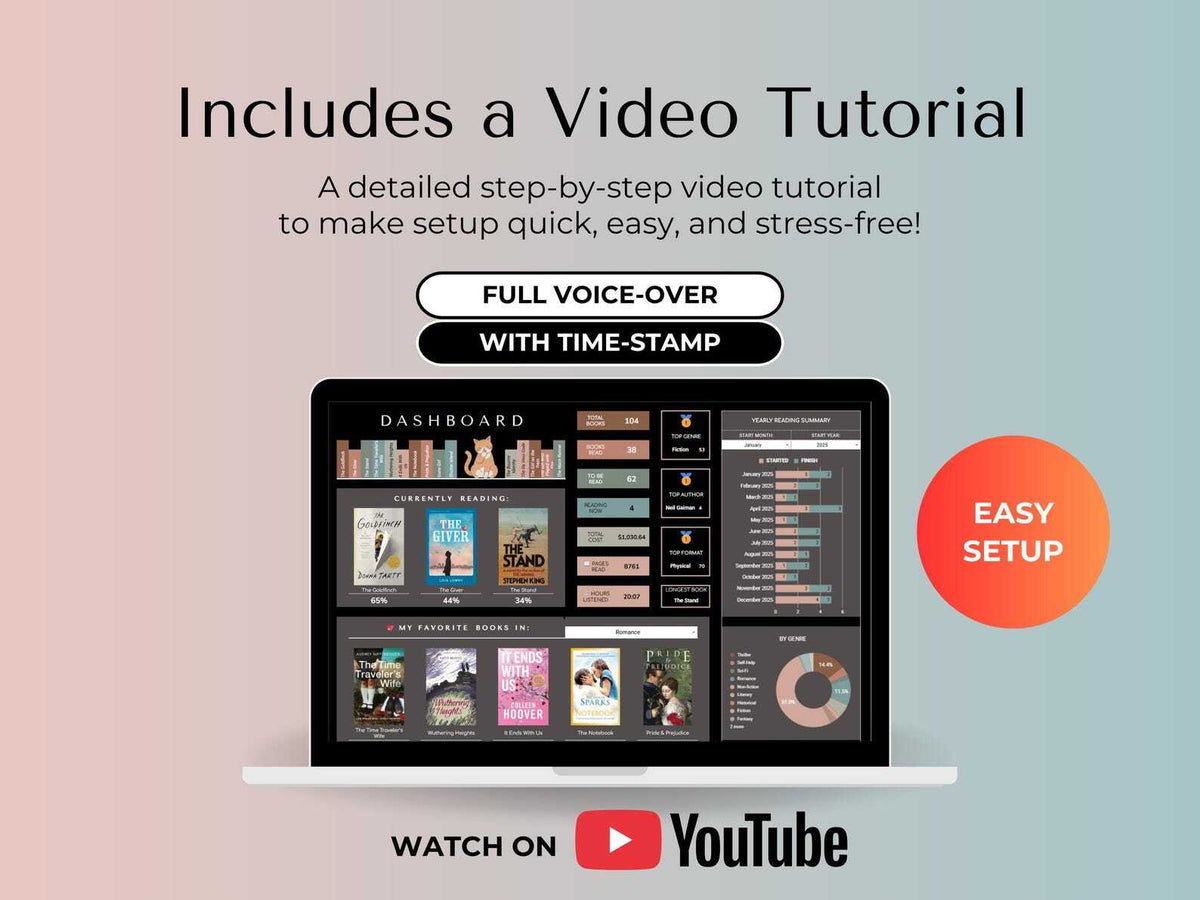
What you're reading now, with progress. Totals for books, pages, hours and cost. Your top genre, author and format. A yearly summary of books started and finished, and your favorite books by genre.

Browse your library like a shelf
Covers with status and rating, up to eight filters and sorts: status, genre, format, priority, source, ratings, year. Pick any title in the Book Finder and see every detail in one place, with half-star and spice ratings.

A shelf that builds itself
Eight shelves by rating, genre, format and year, each with its book count, filtered by favorites, status or source. The one that fills up as you read.

Series, with the gaps showing
Every series with its covers in order, reading progress and average rating, up to 20 books each. Tick one box to see only the missing books.

A daily rhythm you can see
Set a goal in pages or minutes, for 30 to 365 days. Log each day, see weekly percentages and monthly totals, and watch goal versus actual, calculated for you across the whole challenge.

Your month, with your reading in it
Pick any start date. The calendar marks the days you hit your reading goal, the library books to return and the releases you're waiting for, with a notes box for everything else.

The books you want, with their price
Books marked Wishlist show up here on their own, with price, release date and a buy link, plus the total. Buy one, and it moves to your library by itself.
Why not just an app?
Each option is good at one thing. The tracker is built to do all of them, in a file you own.
A paper reading journal
- No totals, no charts
- Can't filter or search
- Runs out of pages
- One copy, at home
A reading app
- Your data on their servers
- Their design, not your library
- No purchase cost or wishlist budget
- You can't change how it works
A DIY spreadsheet
- Hours of formulas
- Breaks when you add a column
- No covers, no shelves
- Starts from zero every year
The Book Tracker
- Nine tabs, already connected
- Covers, shelves and charts
- Cost, source, returns, releases
- Yours, in Sheets and Excel
Made for the way you read
Four readers, four reasons to keep one library.
The series reader
Romantasy, fantasy, long sagas. Which book is next, which one is missing, and where the spice is.
The audiobook listener
Forty books a year, most of them in your ears. Hours count here, right next to pages.
The collector
Hundreds of physical books, lent, borrowed, wished for. Cost, source and return dates, in order.
The habit builder
You'd read more if it felt like a rhythm. A daily number, a weekly percentage, a shelf that grows.
Works where you already read
Two files, same features, your choice of app and device.
Older Excel versions, Apple Numbers and LibreOffice aren't supported.
Ready in three steps
Nothing to install, no formulas to write.
Get your files
After checkout, a PDF with your Google Sheets link and the Excel file arrive by email.
Make it yours
Copy the sheet to your Google Drive, or open the Excel file, and follow the video tutorial, with time stamps for every tab.
Add your books
Fill the Book Log and watch dashboard, gallery, shelves and series fill in by themselves.
Kind Page Studio, a small independent studio
The Book Tracker is the same tracker that thousands of readers already use, now under the Kind Page name and still growing: the Series Tracker is its newest tab.
We make digital planners and trackers for Google Sheets, Excel and Canva, and we answer every email ourselves. If something doesn't work, write to us and we'll sort it out.
Questions, answered
No. It's a digital tracker. Nothing is shipped: after checkout you get instant access by email and can start adding books right away.
Your Google Sheets link (in a PDF) and the Excel file, in both the dark and the light theme, plus the video tutorial with time stamps for every tab.
Google Sheets is free: a Google account is enough. For Excel you need Microsoft 365 or Excel 2024. Older Excel versions, Apple Numbers and LibreOffice aren't supported.
Yes, in the Google Sheets or Excel app, or in your browser. Setting it up and adding many books at once is easier on a computer; checking your shelf and logging today's pages works fine from your phone.
Yes. Both are included, with the same tabs, features and formulas. Pick the one you like, or switch later.
Yes. Log hours instead of pages: the dashboard shows hours listened next to pages read, and your daily reading goal can be set in minutes.
Up to 10,000 in one Book Log. Dashboard, shelves, gallery and series all read from the same list, however long it gets.
Yes. You type into the Book Log and pick from drop-downs; the formulas are already written and every other tab fills in by itself. The video tutorial walks you through it, tab by tab.
The tracker is for your personal use, on as many of your own devices as you like. If a friend wants one too, send them here: it's how a small studio keeps going.
If your files didn't arrive, don't open, or aren't what this page describes, write to us and we'll fix it or refund you. Customers in the EU and UK also have a 14-day right of withdrawal. The details are in our Refund Policy.
Readers who keep their library here
Same tracker, now under the Kind Page name.
Every book, on one shelf that's yours
Nine connected tabs, Google Sheets and Excel, dark and light. Add a book once and watch it all fill in.
Instant download · Yours forever